Confused About How to Use Brand Identity Files?
Your brand files are beautiful, so why are they sitting untouched on your desktop? You’re not alone. So many small-business owners say the same thing: “I got a lovely logo from my designer, but I’ve barely used it.”
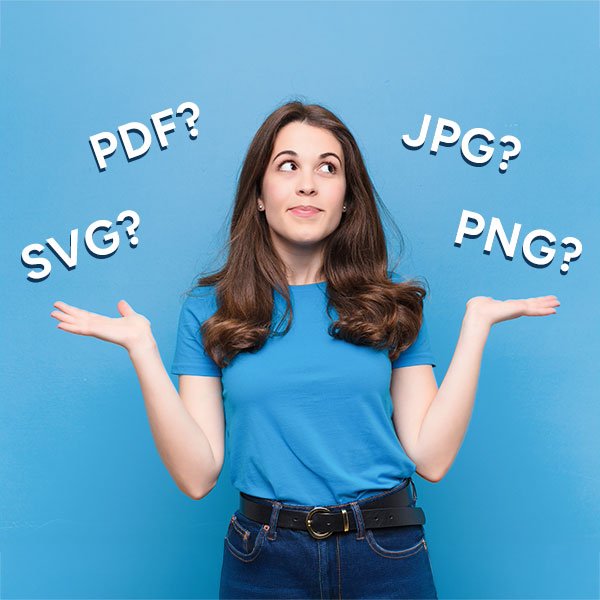
It’s not laziness. It’s confusion, and you’ll find it echoed all over business forums. People talk about opening their logo folders and finding 20 different file types they don’t recognise: SVG, EPS, PDF, JPG. Which one goes on social media? Which one prints clearly? (If you’ve ever wondered about the actual differences between file types, Adobe has a helpful guide that breaks them down.)
Others mention they weren’t sure where to even upload their logo. It looked perfect in Canva, but pixelated on their website or came out the wrong colour in print.
Some say they tried updating their website banner or social templates, but nothing matched. Fonts were missing, colours looked slightly off, and the visuals they’d paid for didn’t seem to fit together in real life. And nearly everyone admits to the same quiet frustration:
“I’ve got all the files, but I don’t know how to use them, or where to even start.”
That’s not your fault. Sometimes designers hand over beautiful visuals but forget the practical bit: how you’ll actually apply them day to day.
A good brand identity shouldn’t feel like a mystery folder of assets you’re scared to touch. It should feel like a system that works for you. Simple, organised, and ready to use whenever inspiration strikes.
Why beautiful brands go unused
You invested in a beautiful design because you wanted your business to feel more professional and put-together. But once the excitement fades, reality hits:
- There are too many file types. JPEG, PNG, SVG, PDF… what’s the difference?
- The folder structure makes no sense.
- You’re scared of messing up your new look.
- You weren’t given templates or guidance on how to apply it all.
In fact, this isn’t rare. According to Exploding Topics, 15% of companies don’t even have brand guidelines, and only 32% say their messaging is consistent across all platforms. Yet those who do stay consistent see revenue grow by more than 20%.
Consistency isn’t just about looking pretty. It’s about trust and recognition.

What makes a brand usable
A usable brand feels simple and supportive. It gives you confidence every time you show up online.
That usually means:
- Clearly labelled folders (not “final-FINAL-newlogo-2”)
- The right file formats for print, web, and social
- Editable templates in Canva or Illustrator
- A short, human-readable brand guide that explains colours, fonts, and logo rules
- Accessibility notes, like ensuring contrast for legibility
When your files are this organised, you actually want to use them. And there’s data behind that feeling: Lucidpress found that 68% of businesses that maintain brand consistency report revenue growth of 10% or more.
So a brand that’s easy to use doesn’t just feel better. It performs better.

The difference between “beautiful” and “usable”
There’s a psychological reason we fall for pretty brands: the aesthetic-usability effect. People naturally believe that beautiful designs are easier to use. We see something polished and assume it’ll just work.
But looks can be deceptive. A flawless logo without instructions sits unused. You can have the most stunning brand identity in the world, but if you don’t know which file to use or how to apply it properly, it might as well not exist.
This is where the difference between design and brand becomes important. Susan Sellers puts it perfectly:
“Brand is the story. Design is the storytelling.”
Your visual identity is the design. How you use it, consistently and confidently, is your brand in action. Beautiful branding draws people in. Usable branding keeps them engaged and consistent. You need both working together.
What most designers skip (and what I include)
Many designers stop at delivery: logo, colour palette, maybe a PDF brand board. But that’s exactly where most business owners start feeling lost.
In complete brand identity projects, I include:
- A clearly structured folder with sub-folders for print, web, and templates
- File naming that actually makes sense
- Simple brand rules: spacing, colour use, legibility, do’s and don’ts
- Canva templates ready to drop your content into
- Accessibility and contrast checks so your visuals work everywhere
My goal isn’t just to make it beautiful. It’s to make it practical. Everything you need, including brand files and instructions, ready to use.
Can you use your brand files? (Quick audit)
Here’s how to check if your current brand file setup is working for you:
- Can you find your logo in the right format in under 10 seconds?
- Do you know which colours to use (and how to get the codes)?
- Do you have templates for your social posts or PDFs?
- Are your fonts installed and easy to access?
- Do you feel confident showing up with your visuals?
If you answered “no” to more than two, the problem isn’t you. It’s the system you were given.

The Fix: How to use brand files confidently
If your brand files feel overwhelming, start here:
- Re-organise your folders. Group files by platform: web, print, social, icons.
- Create quick-reference guides. Note your colour codes and font pairings.
- Make editable templates. Canva, Illustrator, or Google Slides work well.
- Check accessibility. Contrast ratios and legibility matter.
- Ask your designer to simplify and re-export everything if needed. Or reach out to me.
You deserve a brand you can actually use, not just admire. When you do, maintaining consistent branding across every channel can boost revenue by up to 23%.

Why this matters more than you think
Trust is built through repetition and clarity. A messy or unused brand weakens both.
When someone sees your logo on Instagram, then visits your website, then opens your email, their brain is quietly checking for patterns. Does this feel like the same business? Do the colours match? Does the tone feel consistent?
If everything lines up, trust builds without them even realising it. If things feel slightly off, doubt creeps in. Not enough to make them leave immediately, but enough to make them hesitate.
WiserNotify found that 81% of consumers need to trust a brand before they’ll buy from it. That trust doesn’t come from a single perfect interaction. It comes from showing up consistently, again and again, in a way that feels recognisable and reliable.
Every time you confidently post, print, or email with your brand assets, you’re reinforcing that trust. And every time you avoid using your brand because it feels too complicated? You’re missing an opportunity to build it.
Final thoughts
If your brand looks lovely but doesn’t feel like you, if it’s sitting quietly in a folder while you wrestle with Canva templates, it’s time to change that.
A beautiful brand deserves to be seen, shared, and used.
So open that folder. Get organised. Make it usable.
And if you’d like help building a brand you can actually use (not just admire), you can explore my services here.

Thanks for reading
If your brand or website no longer feels like it reflects your business properly, I offer brand identity and web design support to help bring things back into alignment.
You can book a free 30-minute consultation to see if working together would be a good fit.
Shop Brand Identity & Design Resources
Not ready to commit to a branding project yet? That’s cool – my shop has plenty of helpful resources to guide you in the meantime.